Author: Christian Heilmann
Translation: Zhuang Qi
Most conferences will video or audio record your talk, and it’s very important to watch your talk afterwards. Observing yourself is a great way to improve because you’re probably your worst critic. A person you can’t get mad at. When we speak, our minds resonate. That’s why how we hear our own voice is different from how others hear it. It’s important to understand the person you’re projecting and yourself, and make sure your performance gets better over time. One way to do this is to keep recordings of everything you show.
Recording your talks and your work in general is a good idea for several reasons.
-
People who can’t attend your conference can still get the same information. To me, a talk is far more than slides – slides are really just the table of contents of the talk.
-
You get a chance to check how you perform in front of an audience. I usually check my talks on my phone while cycling in the gym – great use of time, and I can see where I need to improve.
-
People who like audio or video are interested in your work. This also includes people who need audio and video due to medical conditions.
-
People like listening to recordings in the car. Video isn’t a good idea for that.
-
It allows you to publish in other channels beyond just your blog or website or conference archives.
Recording things is very easy these days – most devices have great microphones and cameras, and even lapel mics and earbuds are getting better and more affordable.
Recording Audio of Your Talk
Most conferences will give you a lapel mic and do some proper recording, but if not, or if you just want to have your own copy, I’ve found that if you don’t move around too much, the built-in mic on a laptop or smartphone is perfectly capable of making a good enough recording of your talk. Of course, another option is to buy a small external mic.
For recordings, I use Audacity which is a free, open-source sound editing tool with all the functionality you need (recording, cutting, converting). For storage of audio files, I use archive.org which has a pretty good uploader, with good search functionality and a built-in player.
Audio recordings are great because they’re relatively small, and people can put them on their phones and listen to them on the subway to work. Beyond that, slide sharing platforms allow you to add sound to your presentations, turning them into “slidecasts”.
Shooting Video
Having video of your talks or interviews is really great, for the same reasons as having audio recordings. Because of having both audio and video, it really allows people to fully experience your talk, and the success of various developer-facing YouTube channels shows that people like getting videos and using them as training material.
These days, you can get small cameras with amazing recording quality, and phones also allow you to record and edit on the device. Just a small tripod to put your phone in front of you, and you’ve already got an OK video.
Hosting is a bit harder, archive.org is also an option, but the real power of online video comes from hosting where people are used to looking for videos and can embed them in their own blogs. YouTube is certainly a prime candidate (also because of their editing options and automatic caption generation), but I also like using Vimeo. Upload times are a lot longer than small audio files, so having a really quick turnaround is quite difficult when you’re on the road.
Link Collections
Another great way to document what you do is to use social bookmarks to collect the links for a certain event or talk you did. People don’t have to remember all the links you used in a certain talk, all they have to remember is a single URL with a tag. That way, you can easily add interesting URLs you talked about later – just get the link collection with the talk tag.
Another benefit of doing this is that people can tag and add annotations to your links in the social bookmarking system, making them easier to find.
Keeping Records of Attendance
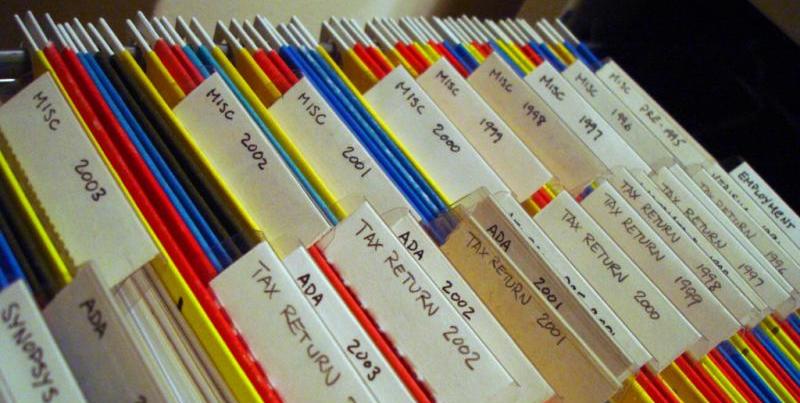
One thing that helped me a lot about events I attend is listing online which events I will attend and my location. For events that are over, I link the entries to resources – my slides, blog posts, links to the event, and videos.
This is a great track record of your work, it’s also a great reminder to see where you presented, and if it makes sense to go again, or hand the opportunity to a colleague, you can mentor the event. It’s also a great resource to show your boss during your performance review.
Having a list of upcoming talks also helps people who are in the same location as the event to connect with you. I’ve gotten interesting brown bags from some hard-to-reach clients because they knew I would be near their city and they didn’t have the budget to send all their developers to the event.
In addition to the public list, it also makes sense to keep personal notes about each event. Who you met, which other talks you saw, how you were treated as a speaker, and so on. These can be a goldmine when your company later wants to know which events to sponsor.
Reprinted with permission: Developer Relations »